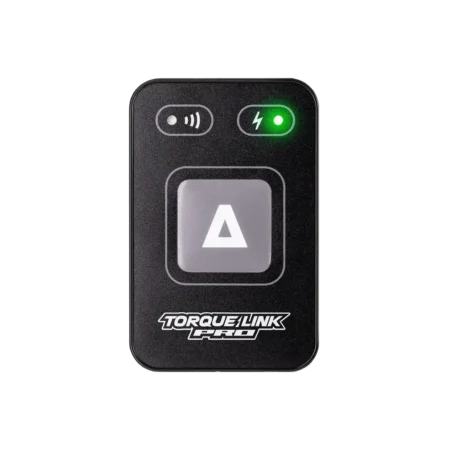
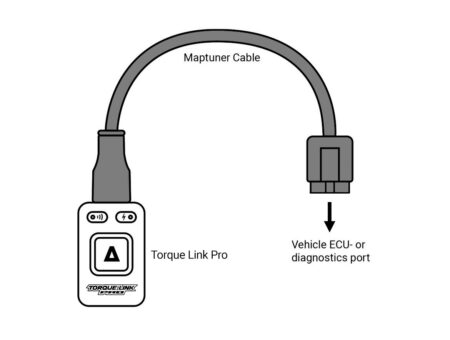
Now plug your Torque Link Pro into the ECU- or diagnostics port of your vehicle. Some models support both connecting methods. If you don’t know where the ECU or diagnostics port is located; read the manual for your vehicle or contact your local dealer. You can also find help here:
For the Torque Link Pro (model NX3) you need the right cable for your vehicle. If you don’t have the right cable or are unsure, check the cable compatibility chart:
Don’t forget the cover!
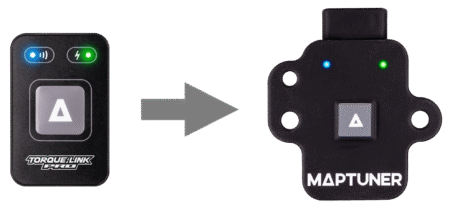
The included silicon cover is designed to offer enhanced protection against water, dust, shocks, and electrostatic discharges. These covers also feature convenient mounting holes, allowing you to secure them to your vehicle or attach them to a lanyard or keyring. The Torque Link Pro comes with the cover included but they are also available for purchase separately.
When your Torque Link Pro is plugged into your vehicle and the green LED lights up, continue to the next step.
If the Torque Link Pro is plugged in correctly the right LED will light up in green. If not, maybe you need to turn the ignition on. Still no green light? Contact your local dealer or visit our FAQ for troubleshooting.